Pixelkh-Panel
Descriptions
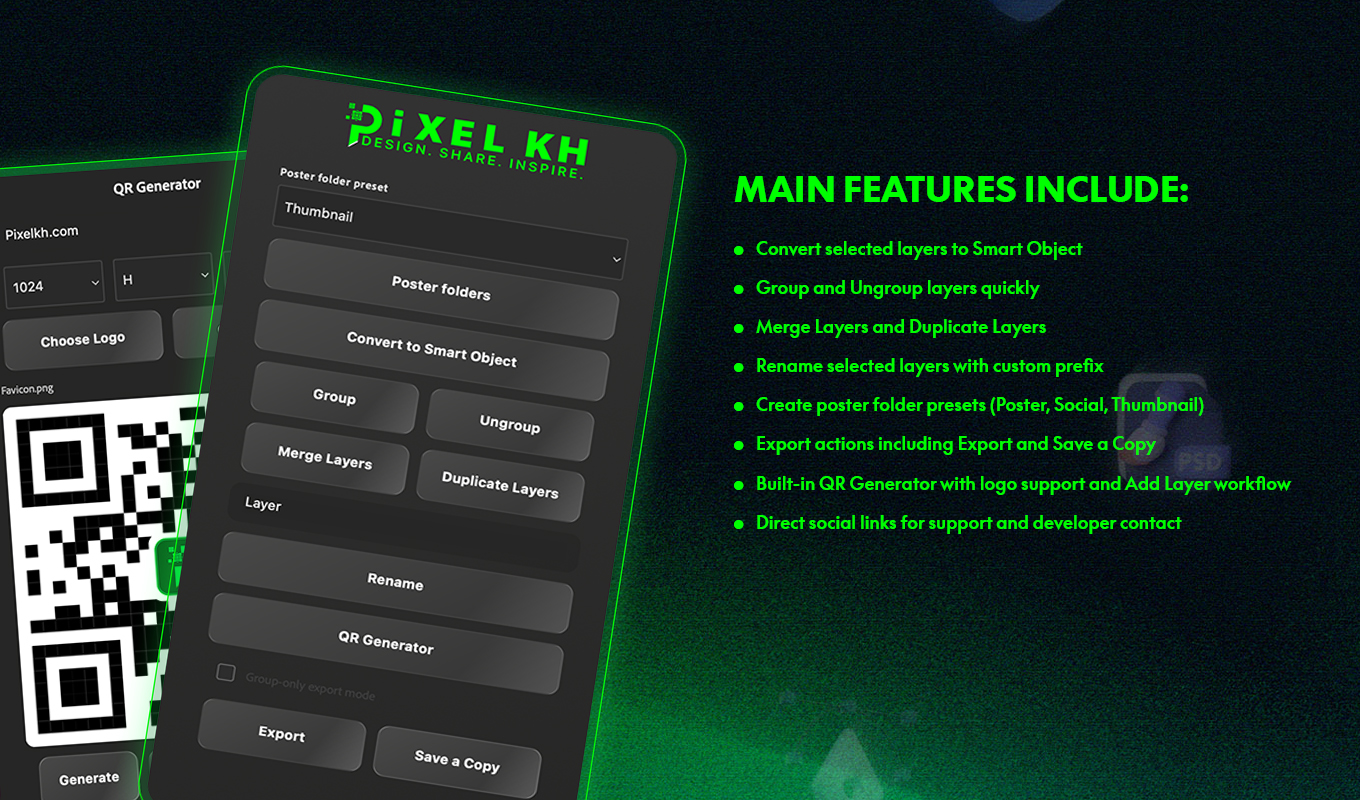
Pixelkh-Panel is a productivity plugin for Adobe Photoshop that speeds up repetitive layer and export tasks in one clean panel.
It helps designers work faster with quick actions for Smart Objects, grouping, renaming, exporting, and QR generation while keeping projects organized.
How To Install
- Download the .ccx file
- Install via Adobe Creative Cloud / Exchange
- Open Adobe Photoshop
- Go to Plugins > Pixelkh-Panel
- Start using the panel tools
Compatibility & Usage Notes
Pixelkh-Panel is a productivity plugin for Adobe Photoshop that speeds up repetitive layer and export tasks in one clean panel. It helps designers work faster with quick actions for Smart Objects, grouping, renaming, exporting, and QR generation while keeping projects organized.
- Select one or more layers before using layer actions (Smart Object, Group, Ungroup, Merge, Duplicate, Rename).
- For Rename, enter a prefix first, then apply.
- Use Poster Presets to quickly create standard folder structures.
- Export opens Photoshop export flow; Save a Copy opens save-copy flow.
- In QR Generator, enter URL/text, choose size and error correction, optionally add logo, then Generate.
- Use “Add Layer” in QR Generator to place the generated QR directly into the active document.
- If no valid layer/document selection is available, some actions may be disabled or show a warning.
FAQ
Is Pixelkh-Panel free to download?
Yes. This plugin page on Pixelkh provides a free download option.
How do I install Pixelkh-Panel?
Download the .ccx file Install via Adobe Creative Cloud / Exchange Open Adobe Photoshop Go to Plugins > Pixelkh-Panel Start using the panel tools
Which apps or versions are supported?
Adobe Photoshop (UXP, manifest v5), Windows, macOS